> ## Documentation Index
> Fetch the complete documentation index at: https://bruno-a6972042-docs-api-docs-split-more-menu.mintlify.site/llms.txt
> Use this file to discover all available pages before exploring further.
# Generate Documentation
Generate a standalone HTML documentation file from your collection in a few clicks.
## Generate Documentation
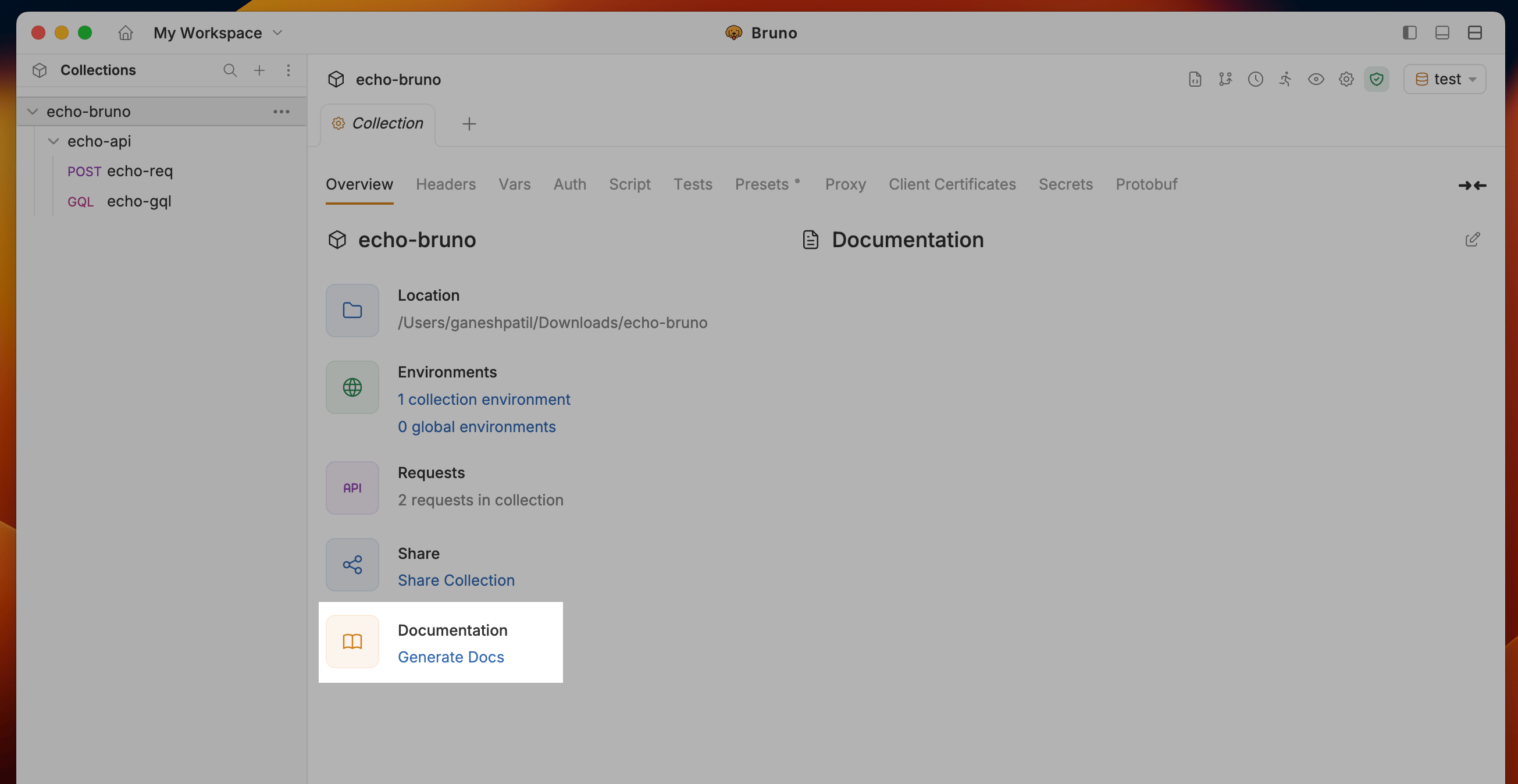
1. Navigate to the Collection Settings and click on the **Generate Docs** under Documentation section
 2. Select **Environment** to include in the documentation and click the **Generate** button to create the HTML documentation
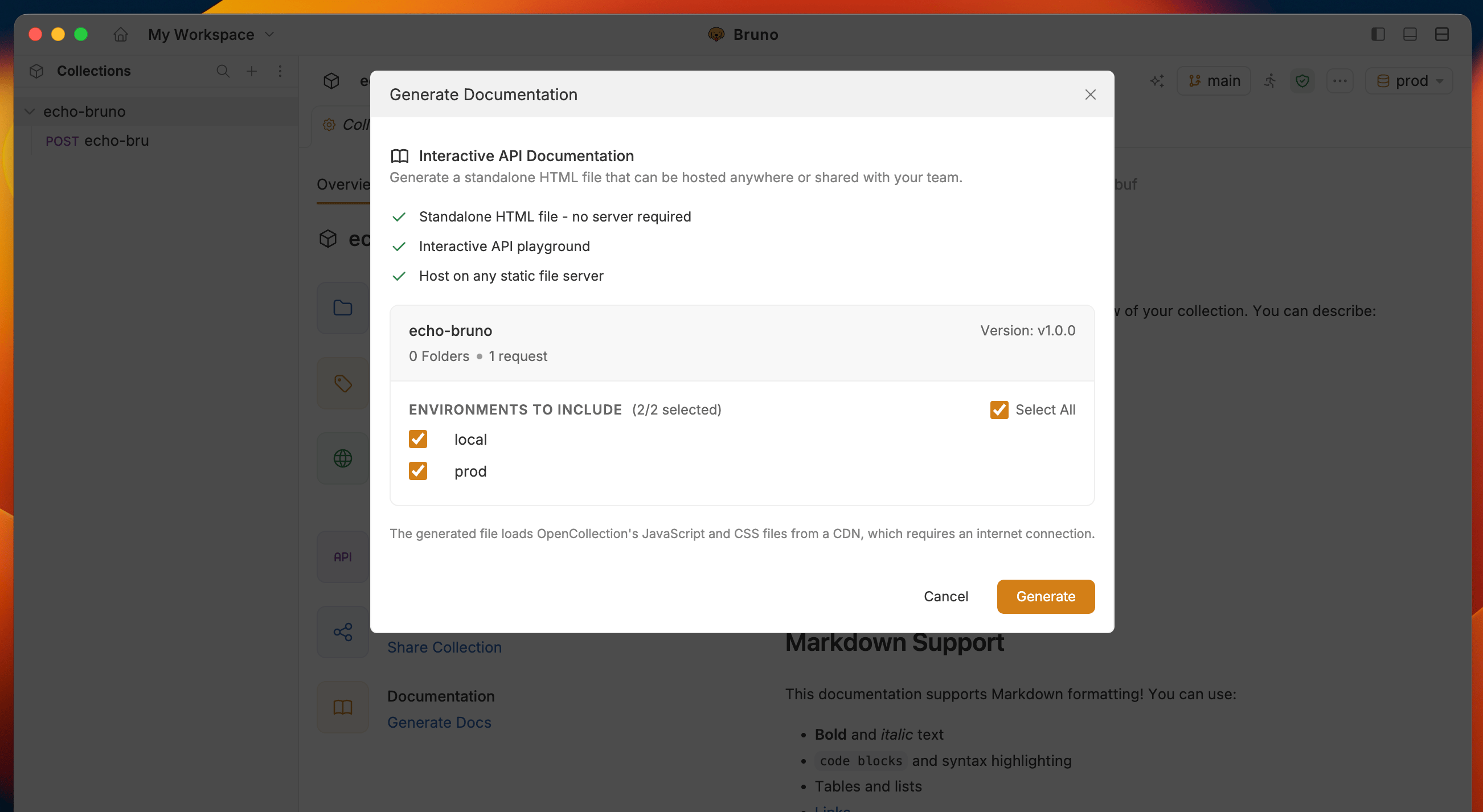 **Optional:** You can set a collection version before generating docs. Collections without a version show "Not set".
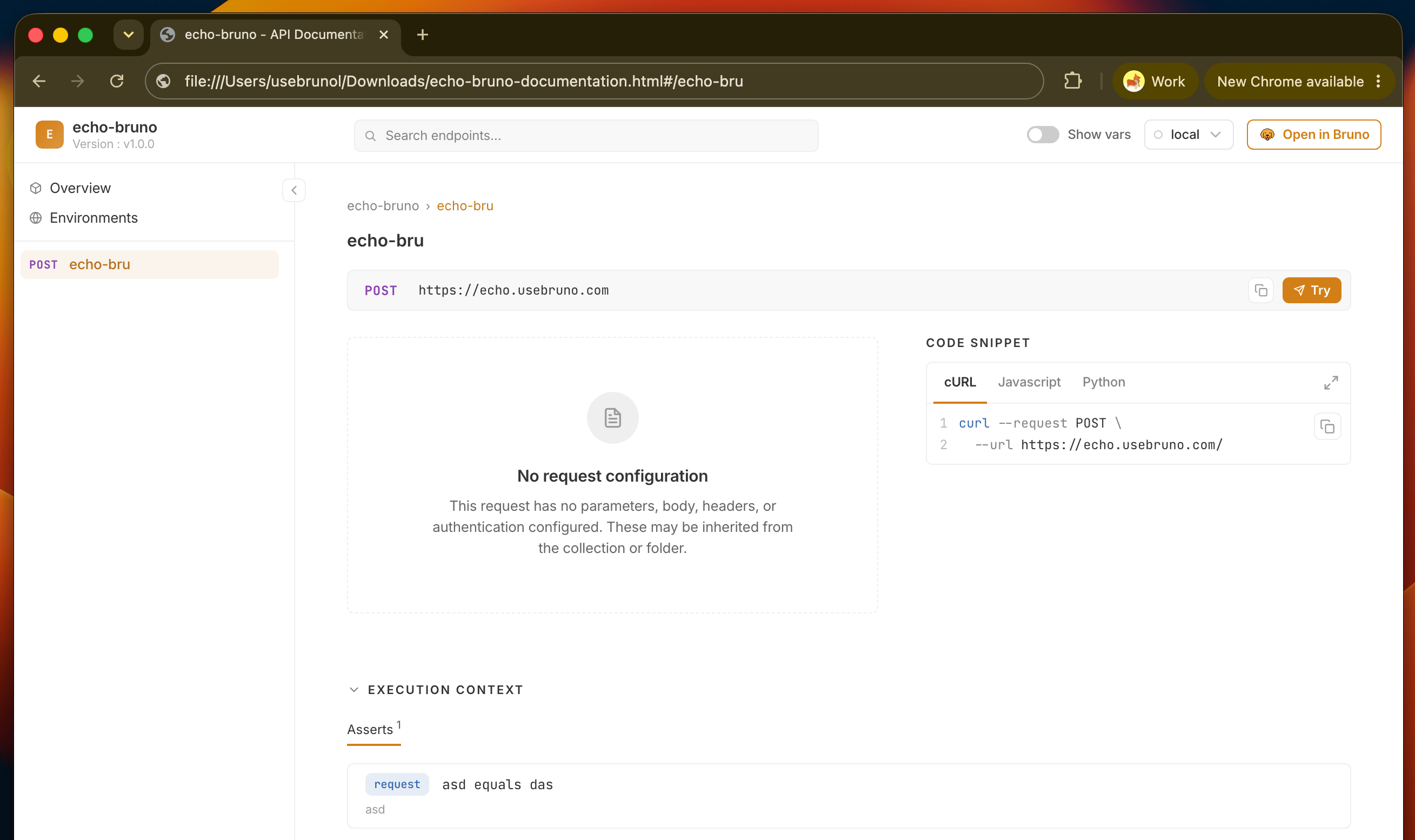
3. Bruno will generate a documentation file for your collection in your file system with name `collection-name-documentation.html`
**Optional:** You can set a collection version before generating docs. Collections without a version show "Not set".
3. Bruno will generate a documentation file for your collection in your file system with name `collection-name-documentation.html`
 ## Next steps
* See what readers can do in the generated site: [switch environments](/html-docs/environments), [search requests](/html-docs/search), and [try requests live](/html-docs/playground)
* [Deploy and share](/html-docs/deploy) the file with your team or API consumers
## Next steps
* See what readers can do in the generated site: [switch environments](/html-docs/environments), [search requests](/html-docs/search), and [try requests live](/html-docs/playground)
* [Deploy and share](/html-docs/deploy) the file with your team or API consumers